The best microphones for video calls make your voice easier to hear while fitting the way you work, whether you need a simple desk setup or more control over positioning. These picks range from plug-and-play USB models to microphones with monitoring, mute controls, or XLR connectivity, so choose by room, desk space, and call habits.
Quick Top Products
FIFINE K683A USB Desktop Microphone

- USB plug-and-play works with Windows, Mac, and PS4.
- Gain, mute, and headphone monitoring controls are built in.
- The package includes a pop filter and foldable tripod.
Best For: Home and office callers who want quick USB setup and easy access to mute, gain, and monitoring.

Samson Meteor Mic USB
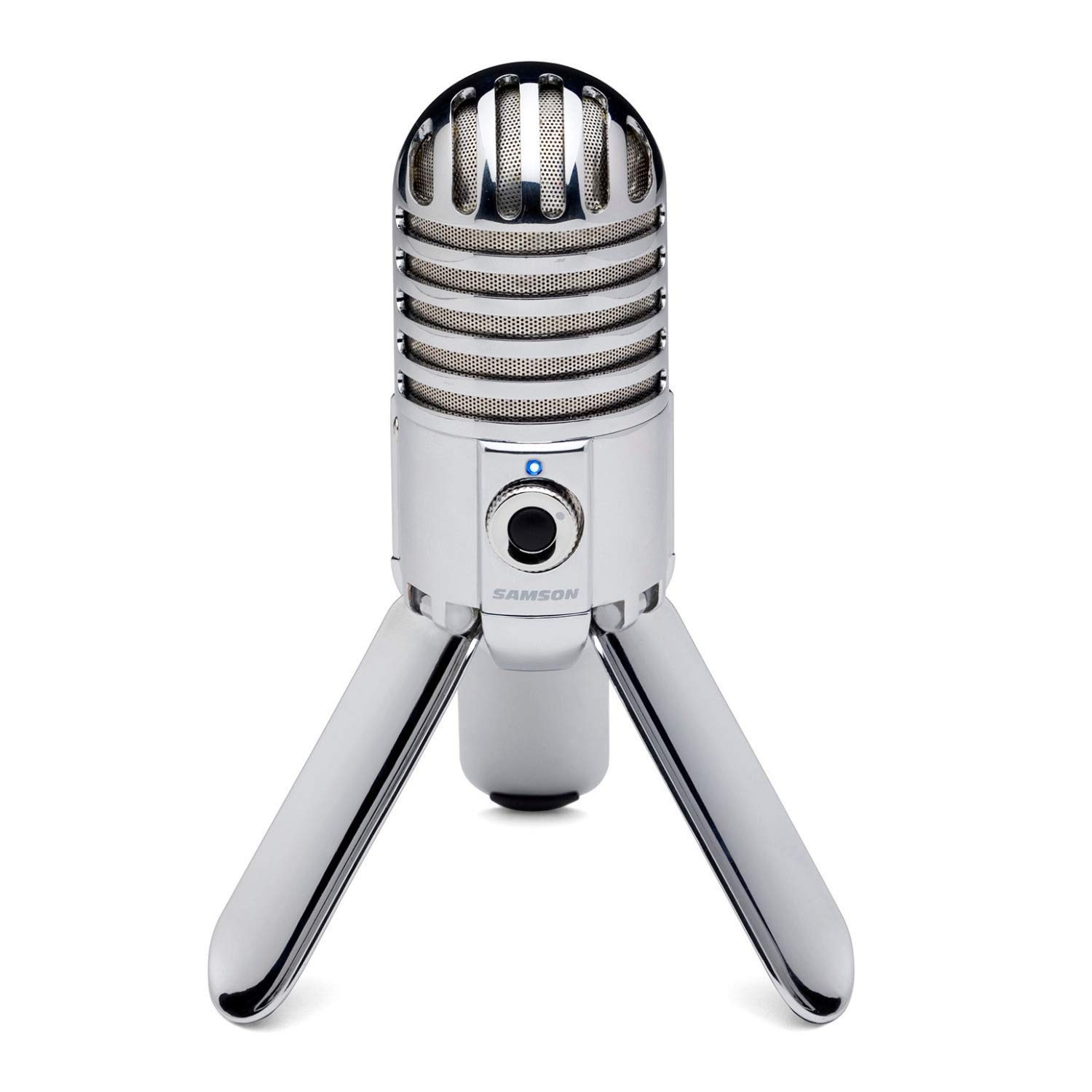
- Folding legs help with positioning and transport.
- Headphone output includes level control for zero-latency monitoring.
- The mic has a 1-inch capsule and cardioid pickup pattern.
Best For: Callers who want a folding desktop microphone with headphone monitoring.
FIFINE K669B USB Microphone

- USB plug-and-play connection includes a 5.9-foot cable.
- A volume knob provides direct level adjustment and can turn down to zero.
- The cardioid capsule focuses on the main voice source.
Best For: Budget-minded callers who want a simple USB mic with a physical volume knob.
FIFINE AmpliTank K688 Dynamic Microphone
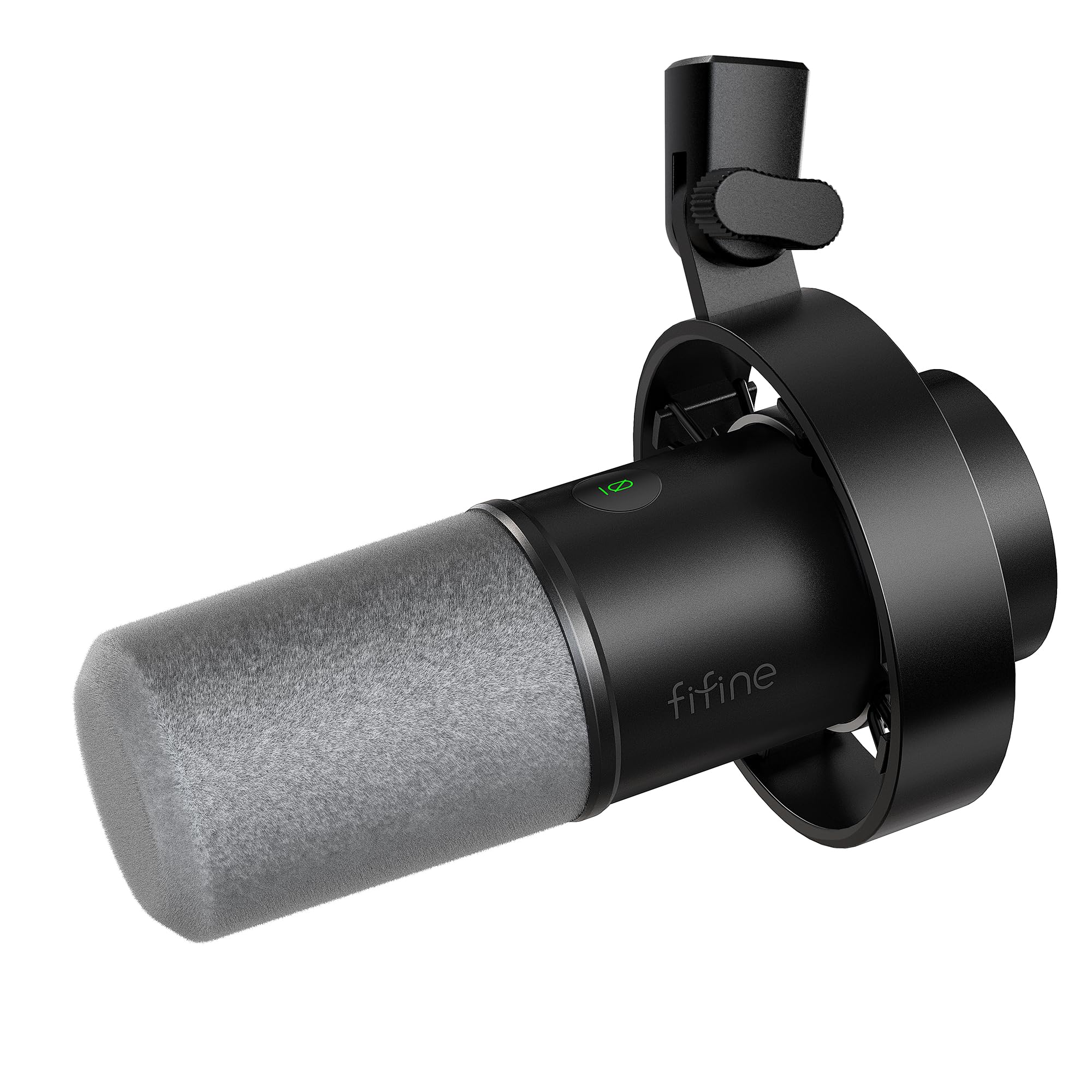
- USB and XLR connections support computer or audio-equipment setups.
- USB controls include mute, gain, and headphone monitoring.
- The package includes a shock mount and windscreen.
Best For: Callers who want USB simplicity now and the option to connect through XLR equipment later.
MAONO PD400X Dynamic Microphone
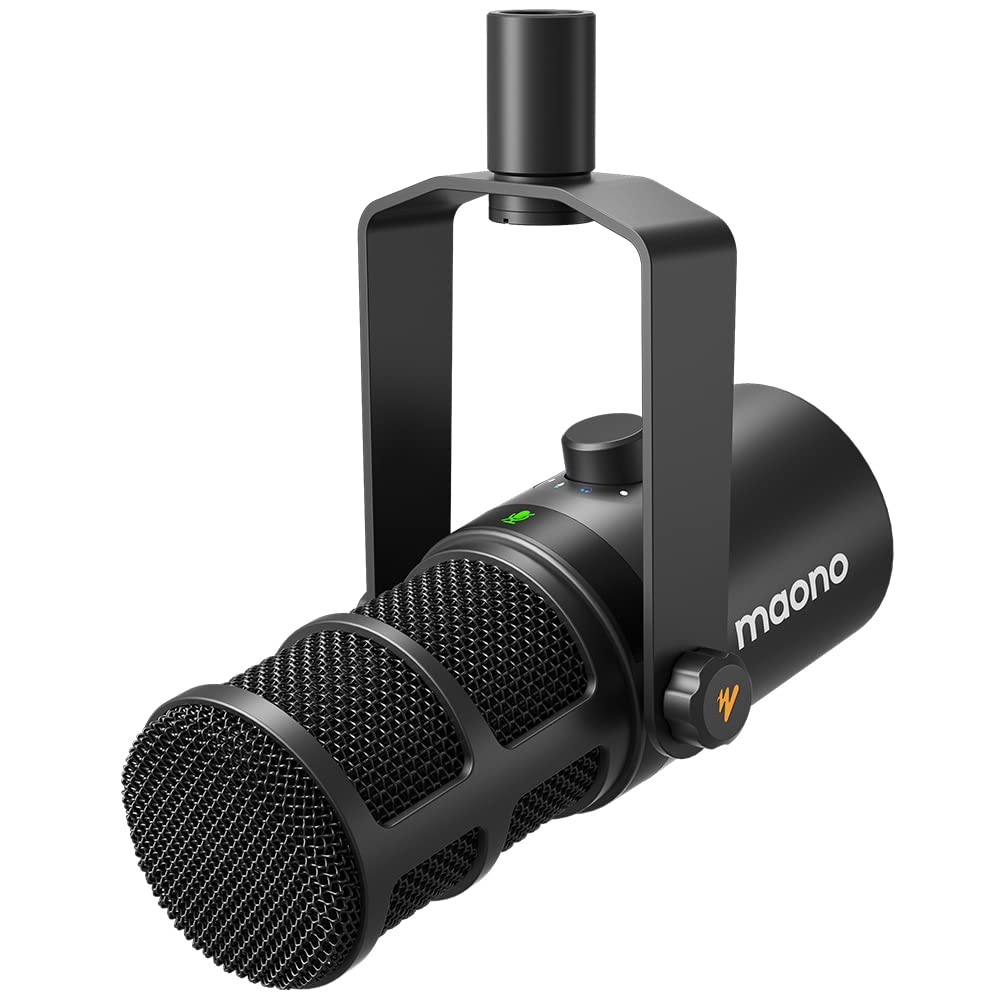
- A digital knob controls gain, headphone volume, and monitor mix.
- Tap-to-mute includes an LED indicator.
- USB/XLR connections and MAONO Link software provide expansion options.
Best For: Callers who want onboard monitoring controls and software customization over USB.
FIFINE T683 USB Microphone Kit
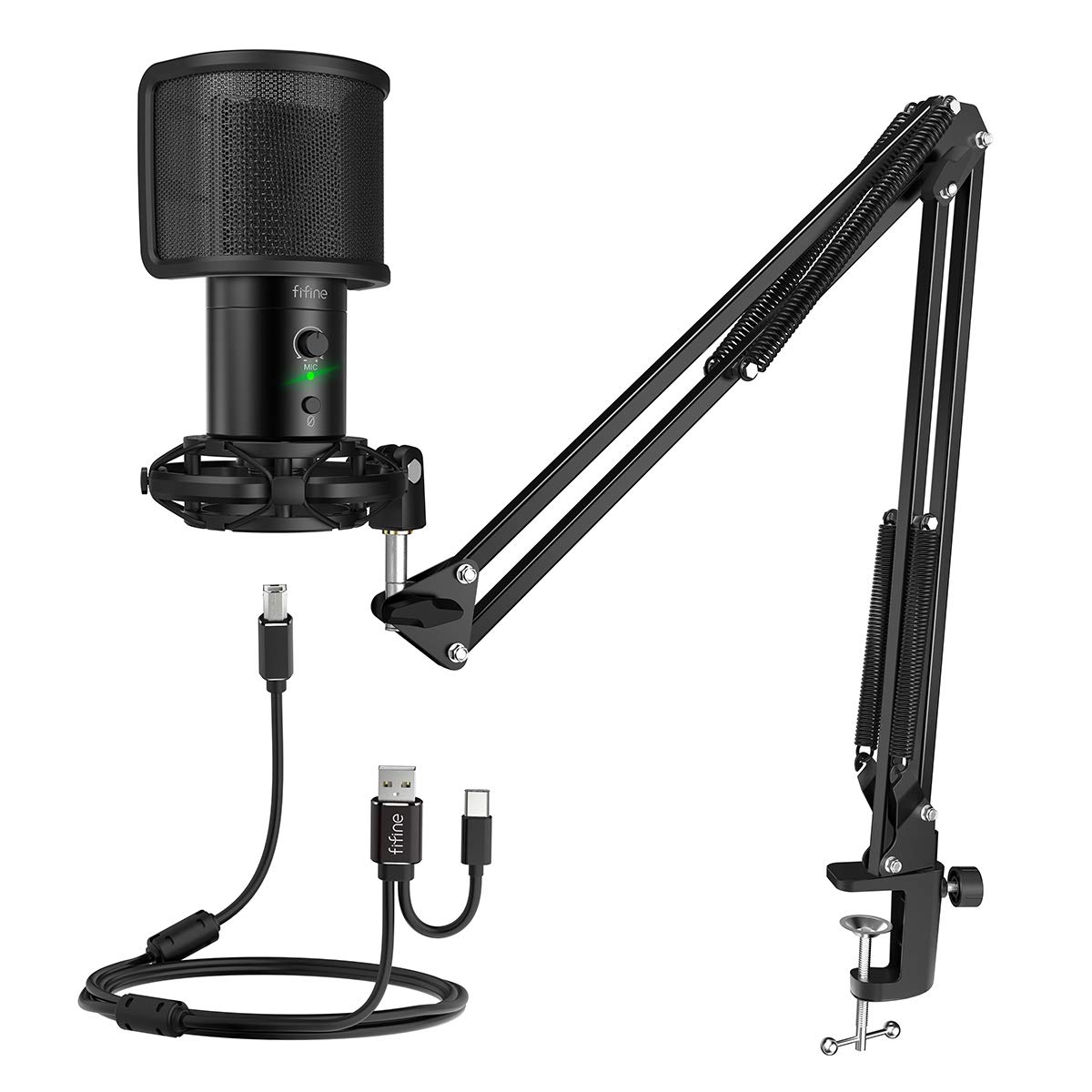
- The adjustable arm can swivel and mounts to desks up to 2 inches thick.
- The kit includes a pop filter, shock mount, and table mount.
- Gain, mute, and headphone monitoring are built in.
Best For: Callers who want a microphone, adjustable arm, pop filter, and monitoring in one package.
FIFINE AmpliGame AM8T XLR/USB Microphone Set
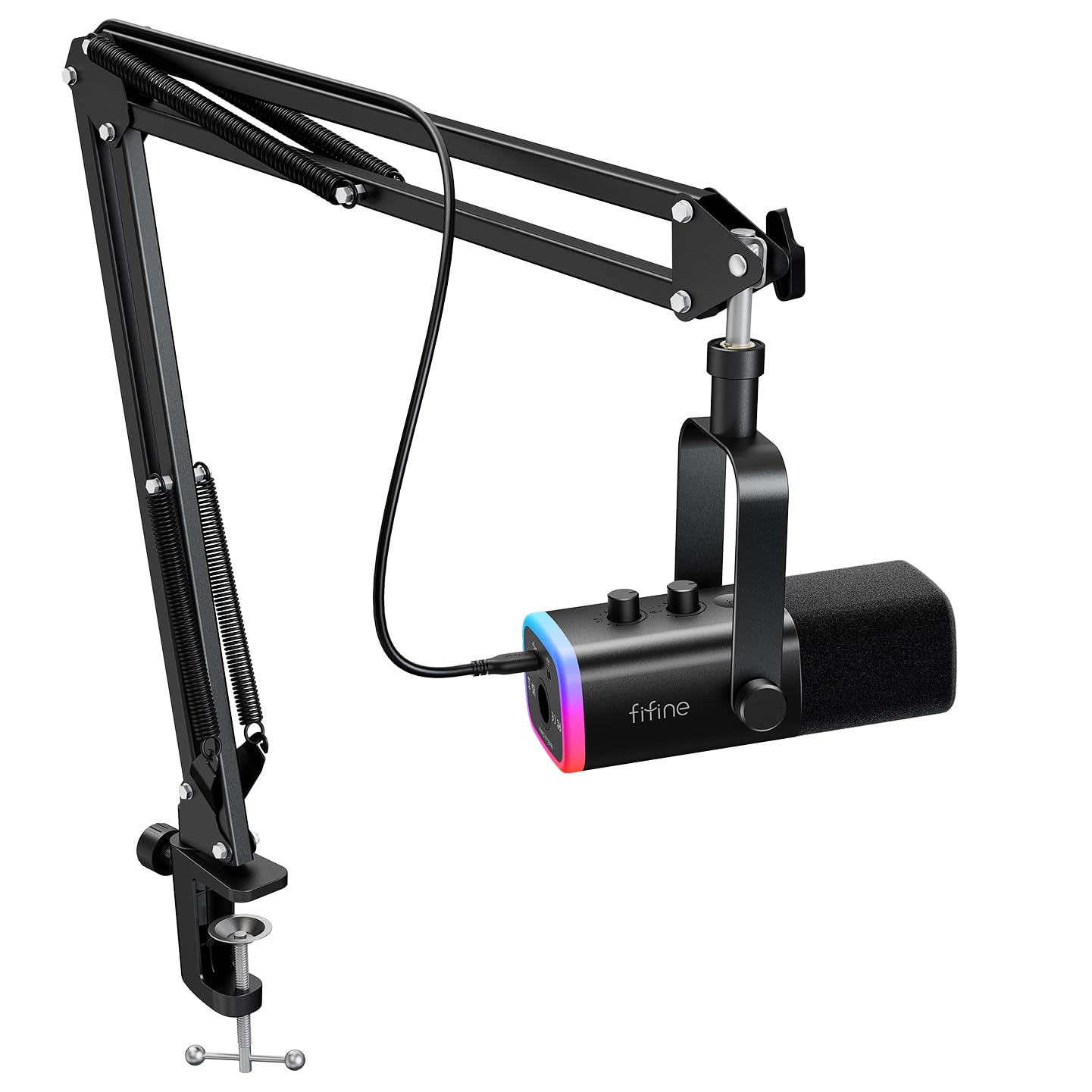
- USB is plug-and-play, while XLR connects to a mixer or sound card.
- The mic includes a mute button and gain knob, plus a headphone jack for real-time monitoring and headphone volume control.
- The metal arm stand has a desk clamp that fits desktops up to 2 inches thick.
Best For: Callers who want a boom-mounted dynamic mic with USB now and XLR for a mixer later.
FIFINE K658 USB Dynamic Microphone
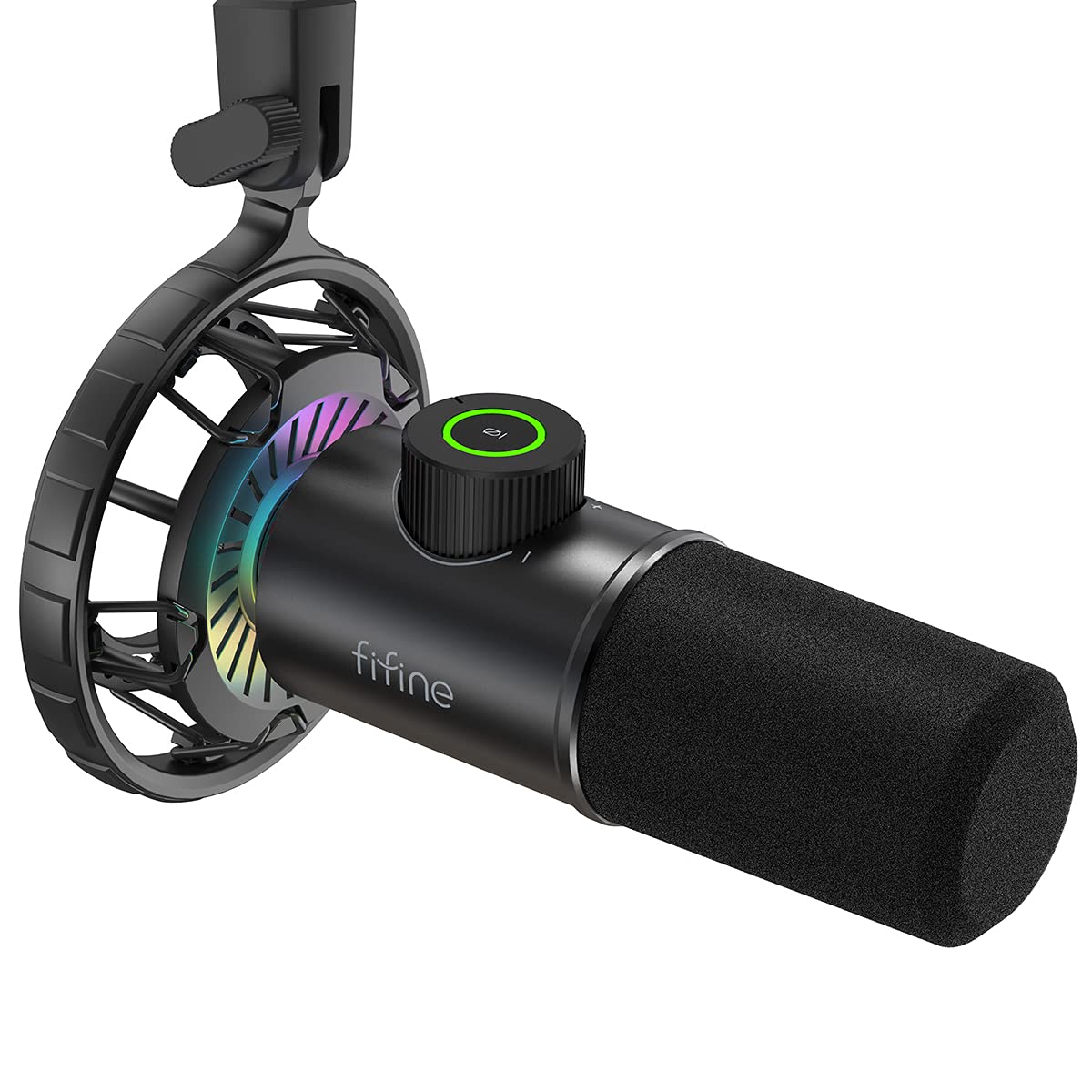
- Tap-to-mute and an LED indicator show mute status.
- Gain control and a headphone jack support adjustment and monitoring.
- The package includes a shock mount, but no mic stand.
Best For: Callers who can keep a dynamic mic close and want live headphone monitoring.
MAONO DGM20 USB Gaming Microphone
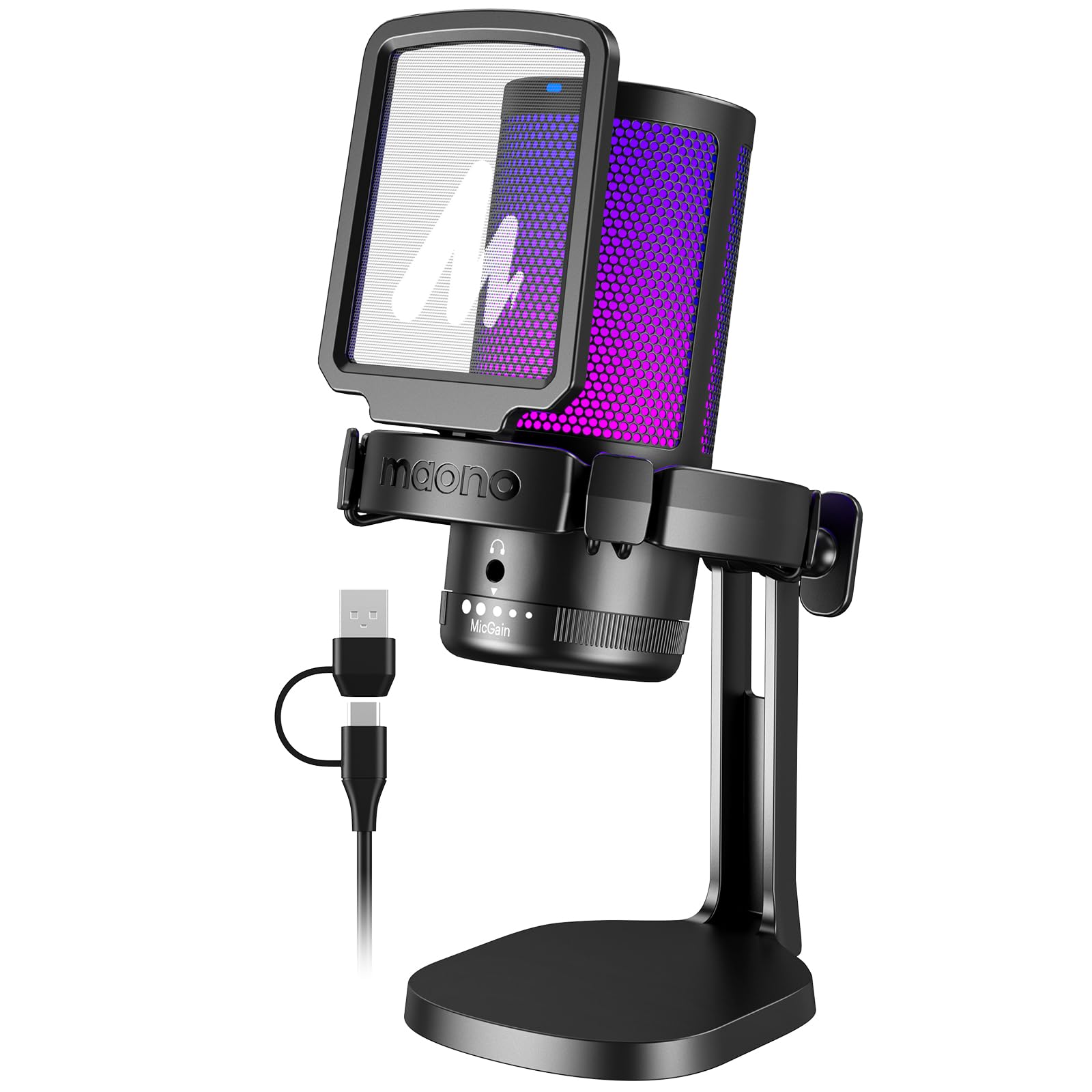
- One-key noise cancellation can be turned on or off by holding for 3 seconds.
- Gain and mute controls sit on the microphone, with headphone monitoring.
- The included cable supports USB and USB-C connections.
Best For: Callers in noisier computer spaces who want onboard noise-cancellation control.
MAONO PD200XS Dynamic Microphone Kit
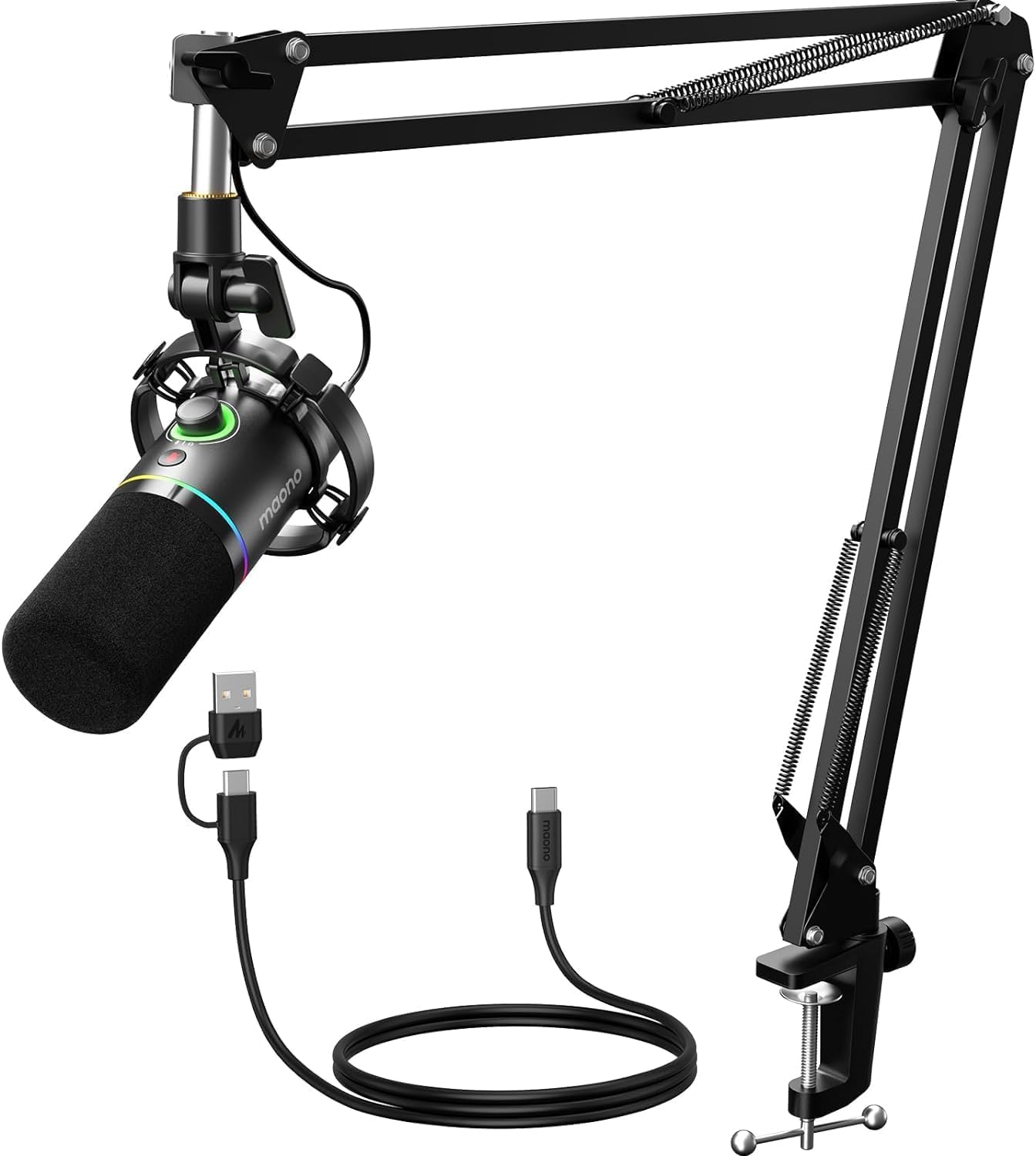
- USB and XLR connections support computer and audio-interface setups.
- The boom arm and controls support adjustable positioning and quick changes.
- Software features include EQ, limiter, and compressor adjustment over USB.
Best For: Callers who want a boom-arm dynamic mic with USB software features and a future XLR option.
Best for Simple Desk Controls
FIFINE USB Desktop PC Microphone with Pop Filter for Computer and Mac, Studio Condenser Mic with Gain Knob Mute Button Headphone Jack for Gaming Streaming Recording YouTube, Extra USB-C Plug-K683A
The FIFINE K683A keeps a video-call setup straightforward: connect it over USB, place it on its tripod, and adjust gain or mute from the microphone. Its cardioid condenser design is intended to focus on sound from the front, while the included pop filter helps soften plosive sounds.
A headphone jack supports real-time monitoring, useful when you want to check your voice during a call. It works with Windows, Mac, and PS4, though it is incompatible with Xbox.
This desktop format suits callers who want useful controls without arranging a boom arm.
Best For: Home and office callers who want quick USB setup and easy access to mute, gain, and monitoring.
| Pros | Cons |
|---|---|
|
|
Choose the K683A if your calls happen at a desk and you want to adjust input level or mute without opening software. The tripod and pop filter keep the setup self-contained, while the headphone jack adds a way to monitor audio.
Check that your computer has USB-A or USB-C and that the desktop position lets you speak toward the mic diaphragm. If you need to move the mic closer or clear desk space, an included boom-arm model may fit better.
Best Compact Desktop Option
Samson Meteor Mic USB Condenser Podcasting Podcast Recording Desktop Microphone
The Samson Meteor Mic combines a desktop footprint with folding legs that make it easier to pack away or reposition. Its cardioid pickup pattern is intended to focus on sound in front of the microphone, and a headphone output with level control supports zero-latency monitoring.
The record gives a 1-inch studio-quality capsule and a 20Hz–20kHz frequency response. It connects by USB and can also work with an iPad using Apple's Lightning USB Camera Adapter or a 30-pin Camera Connection Kit.
This is a practical choice for a shared desk or a call setup that needs to travel between rooms.
Best For: Callers who want a folding desktop microphone with headphone monitoring.
| Pros | Cons |
|---|---|
|
|
The Meteor Mic suits callers who want a USB desktop mic that can fold for storage, with direct headphone monitoring on board. Its cardioid pattern is a sensible fit for one speaker facing the microphone.
Before buying, check the cable and adapter needs for your computer or tablet, since the record mentions a separate Apple camera adapter for iPad use but does not identify an included USB cable. If you frequently mute during meetings, a model with an explicit on-mic mute button may be more convenient.
Best Budget Call Mic
FIFINE USB Microphone, Metal Condenser Recording Microphone for MAC OS, Windows, Cardioid Laptop Mic for Recording Vocals, Voice Overs, Streaming, Meeting and YouTube Videos-K669B
The FIFINE K669B is a simple USB condenser microphone for callers who want to improve a computer audio setup without adding a complicated chain of equipment. It connects directly to a USB-A port and comes with a 5.9-foot cable and tripod stand.
The cardioid pattern focuses on the voice in front of the mic, and a physical volume knob lets you raise or lower the level, including turning it to zero for privacy. It works with desktop and laptop computers and PS4/PS5, but not Xbox or phones.
Its fixed desktop arrangement is best when you can keep the microphone near your speaking position.
Best For: Budget-minded callers who want a simple USB mic with a physical volume knob.
| Pros | Cons |
|---|---|
|
|
The K669B works for callers who want a low-complexity USB microphone and a physical level knob at a modest desk setup. Its included cable and tripod make it easy to place, while the cardioid pickup is aimed at a single speaker.
Check your computer's USB-A availability and keep the front of the mic oriented toward you. If you want direct headphone monitoring or a mute button on the microphone, consider a model that explicitly includes those controls.
Best Dynamic USB/XLR Flexibility
FIFINE Dynamic Microphone, XLR/USB Podcast Recording PC Microphone for Vocal Voice-Over Streaming, Studio Metal Mic with Mute, Headphone Jack, Monitoring Volume Control, Windscreen-Amplitank K688
The FIFINE AmpliTank K688 uses a dynamic capsule and offers both USB and XLR connections, giving it a path from a direct computer setup to a mixer or interface. On USB, it provides tap-to-mute, a gain knob, a headphone jack, and monitoring-volume control.
Its cardioid pattern is described as directional, and the included shock mount and windscreen help address desk vibration and plosive sounds. The microphone is intended for close use, so it suits callers willing to speak near it and position it carefully.
The package does not include a stand or XLR cable, which affects setup planning.
Best For: Callers who want USB simplicity now and the option to connect through XLR equipment later.
| Pros | Cons |
|---|---|
|
|
Pick this K688 if you want a dynamic microphone with an immediate USB connection and the option to move to XLR later. Its onboard controls and headphone monitoring support call adjustments, but those function keys are available only over USB.
Plan for a separate stand or boom arm, and keep the mic close as intended. This setup suits a caller who can make room on the desk and values connection flexibility over an all-in-one mounting kit.
Best Software-Tunable Controls
MAONO Dynamic Microphone, USB/XLR Podcast PC Microphone with Software, EQ,Tap-to-Mute, Headphone Jack, Gain Knob & Volume Control, Studio Mic for Broadcast, Recording, Streaming & Gaming (PD400X)
The MAONO PD400X combines USB and XLR connectivity with a dynamic cardioid capsule intended to keep attention on the speaker in less-than-ideal rooms. Its digital knob adjusts mic gain, headphone volume, and monitor mix, while a touch mute key has an LED indicator.
Over USB, MAONO Link software adds vocal-tone selection and advanced options such as EQ, limiter, and compressor adjustments. XLR output can connect to an interface, mixer, or portable PA system.
The supplied details do not identify included mounting hardware, so this is a better match for someone who already has a suitable stand or is ready to source one.
Best For: Callers who want onboard monitoring controls and software customization over USB.
| Pros | Cons |
|---|---|
|
|
Choose the PD400X if you want a USB call mic with convenient control over gain, monitoring, and mute, plus software tuning when connected by USB. The XLR output offers another route for a more developed audio setup.
Before buying, confirm how you will mount and connect it, because the included hardware and cable length are not specified. If you prefer a complete desk kit, a candidate with a clearly included stand may reduce setup work.
Best Complete Condenser Arm Kit
FIFINE USB Gaming Streaming Microphone Kit for PC Computer, Condenser Mic Set with Arm Stand Mute Button & Gain, Mic Studio Bundle for Podcast Recording Twitch Discord YouTube Zoom, USB C & A -T683
The FIFINE T683 is a USB condenser kit built around an adjustable arm stand, which can bring the microphone closer to the caller and away from desk and keyboard thumps. It includes a pop filter, shock mount, table mount, and a 6.6-foot USB cable, plus gain and mute controls.
A headphone jack provides real-time monitoring mixed with computer audio. The cardioid pattern is intended to focus on the speaker's voice, and setup works with Mac, PS4, and Windows PCs without phantom power.
It is incompatible with Xbox. The arm clamp is designed for desks up to 2 inches thick, so check the desk edge before choosing it.
Best For: Callers who want a microphone, adjustable arm, pop filter, and monitoring in one package.
| Pros | Cons |
|---|---|
|
|
The T683 suits callers who want an adjustable arm and common noise-control accessories in one package. Raising the mic off the desk can also free surface space, and the included headphone jack supports a quick audio check.
Verify that the clamp fits your desk and that the computer has a supported USB port. If your setup requires Xbox compatibility or a compact tripod that can be moved around easily, this arm kit is a less suitable match.
Best Dynamic Arm Kit
FIFINE XLR/USB Gaming Microphone Set, Dynamic PC Mic for Streaming Podcasting, Computer RGB Mic Kit with Boom Arm Stand, Mute Button, Headphones Jack, for Recording Vocal Voice-Over-AmpliGame AM8T
The FIFINE AmpliGame AM8T pairs a dynamic microphone with an included boom arm and supports USB plug-and-play as well as XLR connection to a mixer or sound card. For video calls, useful controls include a mute button, gain knob, headphone jack, and headphone-volume control.
Its cardioid pattern and sensitivity figure are presented as helping limit background pickup, while the windscreen can filter plosive voice sounds. The boom arm has a metal build and clamps to a desk under 2 inches thick.
The package does not include an XLR cable, so plan for one if you intend to use that connection.
Best For: Callers who want a boom-mounted dynamic mic with USB now and XLR for a mixer later.
| Pros | Cons |
|---|---|
|
|
Choose the AM8T set if you want an adjustable boom-mounted dynamic mic and need a path from computer USB to XLR equipment. Its on-mic controls are helpful during calls, and headphone monitoring can make it easier to catch an audio issue.
Check the desk thickness and budget for an XLR cable if you plan to use that connection. For someone who only needs a small tabletop setup, a tripod model may take less space and require less assembly.
Best Close-Use Dynamic Mic
FIFINE USB Gaming Microphone, RGB Dynamic Mic with Tap-to-Mute & Headphone Jack, Plug & Play Cardioid Mic for PC PS4/5, Streaming Podcast Twitch YouTube Discord - for Gamers and Youtubers - K658
The FIFINE K658 is a USB dynamic microphone with a cardioid pattern, built-in gain knob, tap-to-mute control, and a headphone jack for real-time listening. Its dynamic design is aimed at reducing ambient sounds such as computer fans, and the supplied shock mount addresses desk vibration.
A foam windscreen helps reduce plosive sounds. The recommended recording distance is 2 to 4 inches, so this is best for callers comfortable speaking close to a desktop mic.
It includes a USB cable and shock mount but no mic stand, which means positioning hardware may need to be purchased separately.
Best For: Callers who can keep a dynamic mic close and want live headphone monitoring.
| Pros | Cons |
|---|---|
|
|
The K658 fits callers who can keep a dynamic mic close and want to hear their voice through the headphone jack. Its mute and gain controls are easy to reach, and the included shock mount can help with desk vibration.
The close recording distance and absent stand are the main setup considerations: confirm that you have a way to position it near your speaking spot. If you prefer to sit farther back, look for a kit with an arm that can bring the mic to you.
Best Onboard Noise-Control Option
MAONO USB Gaming Microphone for PC, Noise Cancellation Condenser Mic with RGB, Mute, Gain, Computer Desk Mic for Streaming, Podcast, Chat, Twitch, YouTube, Discord, PS5, PS4, GamerWave DGM20 Black
The MAONO DGM20 is a USB condenser microphone with a cardioid pattern, gain knob, mute button, and 3.5 mm headphone monitoring jack. Its standout call feature is one-key noise cancellation, which can be toggled by holding the control; the supplied details say the DGM20 noise-reduction software is for Windows only.
RGB lighting is adjustable, though it is an aesthetic extra rather than a call essential. The included 2-in-1 USB and USB-C cable supports PCs, laptops, Macs, and PS5 or PS4.
Check whether you need the Windows-only software behavior, and confirm that the included connection suits your computer.
Best For: Callers in noisier computer spaces who want onboard noise-cancellation control.
| Pros | Cons |
|---|---|
|
|
Consider the DGM20 if background noise is a concern and you want a physical noise-cancellation control alongside ordinary mute and gain adjustments. The Windows-only software limitation matters if you rely on its more adjustable noise reduction from another operating system.
Verify how the mic will sit on your desk, since mounting hardware is not identified. Callers who want a clearly included arm or stand may find another package easier to set up.
Best Software-Ready Boom-Arm Kit
MAONO XLR/USB Dynamic Microphone Kit, RGB Podcast Mic with Software, Mute, Gain Knob, Volume Control, Boom Arm for Streaming, Gaming, Voice-Over, Recording-PD200XS Black
The MAONO PD200XS bundles a dynamic USB/XLR microphone with an adjustable boom arm and controls for gain, headphone volume, and mute. A 3.5 mm headphone jack supports monitoring while recording, while MAONO Link software over USB offers EQ, limiter, and compressor adjustments.
Its cardioid pattern is intended to highlight vocals and reduce unwanted background sound. The kit suits a caller who wants a mic that can move closer during use and a route to XLR equipment later.
The package does not include an XLR cable, so that connection requires an additional purchase; check the arm clamp and desk fit before setting it up.
Best For: Callers who want a boom-arm dynamic mic with USB software features and a future XLR option.
| Pros | Cons |
|---|---|
|
|
The PD200XS is a fit if you want a complete boom-arm arrangement plus software control over USB. Its dynamic cardioid design and mute and monitoring controls suit regular calls, while XLR keeps a future mixer connection possible.
Confirm that the arm clamp suits your desk and plan to supply an XLR cable if needed. If software customization is not useful and you want the simplest setup, a basic USB mic may be a more direct choice.
How to Choose Microphones For Video Calls
How We Picked Microphones for Video Calls
This roundup favors microphones with practical call controls and a clear setup path: direct USB connection, mute or gain access, headphone monitoring, useful positioning hardware, or a specific way to address background sound. The candidates cover compact desktop microphones, adjustable boom-arm kits, dynamic close-use models, and USB/XLR options for people who may add an interface later.
A microphone's pickup pattern and placement both matter. Several selected models use cardioid pickup, which is intended to focus on the speaker in front; arm kits can bring the mic closer, while desktop stands keep setup compact.
We also considered what each package includes and whether its connection limits or missing hardware affect a typical call setup.
Comparing Microphones for Video Calls
For a straightforward desktop setup, the FIFINE K683A and K669B connect over USB and use tripod stands; the K683A adds headphone monitoring and a mute button, while the K669B keeps things simpler with a volume knob. The Samson Meteor Mic adds folding legs and headphone level control for people who move or store their mic between calls.
Arm kits such as the FIFINE T683 and AM8T put the microphone within easier reach and can help clear the desk. The T683 is a condenser kit with included pop filter and monitoring; the AM8T is dynamic and offers USB/XLR flexibility.
The MAONO PD200XS also combines a boom arm with USB software adjustment, while its XLR cable is an extra to plan for.
Dynamic options such as the K688, K658, and PD400X are suited to close positioning and provide USB/XLR flexibility or useful onboard controls. For a computer setup with environmental noise concerns, the DGM20 adds a noise-cancellation control, though its software feature is limited to Windows.
Check the microphone's included mounting hardware, cable, and computer connection before deciding.
| Product | Standout features | Best for |
|---|---|---|
| FIFINE K683A USB Desktop MicrophoneCheck Price |
| Home and office callers who want quick USB setup and easy access to mute, gain, and monitoring. |
| Samson Meteor Mic USBCheck Price |
| Callers who want a folding desktop microphone with headphone monitoring. |
| FIFINE K669B USB MicrophoneCheck Price |
| Budget-minded callers who want a simple USB mic with a physical volume knob. |
| FIFINE AmpliTank K688 Dynamic MicrophoneCheck Price |
| Callers who want USB simplicity now and the option to connect through XLR equipment later. |
| MAONO PD400X Dynamic MicrophoneCheck Price |
| Callers who want onboard monitoring controls and software customization over USB. |
| FIFINE T683 USB Microphone KitCheck Price |
| Callers who want a microphone, adjustable arm, pop filter, and monitoring in one package. |
| FIFINE AmpliGame AM8T XLR/USB Microphone SetCheck Price |
| Callers who want a boom-mounted dynamic mic with USB now and XLR for a mixer later. |
| FIFINE K658 USB Dynamic MicrophoneCheck Price |
| Callers who can keep a dynamic mic close and want live headphone monitoring. |
| MAONO DGM20 USB Gaming MicrophoneCheck Price |
| Callers in noisier computer spaces who want onboard noise-cancellation control. |
| MAONO PD200XS Dynamic Microphone KitCheck Price |
| Callers who want a boom-arm dynamic mic with USB software features and a future XLR option. |
Choosing a USB Microphone for Meetings
USB is the simplest route for most laptop and desktop calls in this group. Models such as the K683A, K669B, Meteor Mic, and DGM20 connect directly, while the MAONO PD200XS and FIFINE AM8T also preserve an XLR path for future use with compatible audio equipment.
A physical mute control is handy when calls include interruptions. Gain controls help adjust input level at the mic, and headphone monitoring can reveal an issue before others need to point it out.
These controls differ by connection on some models: the K688's function keys are USB-only, and the PD200XS software adjustments operate in USB mode.
Placement, Pickup Pattern, and Desk Fit
A cardioid mic is designed to emphasize sound from in front, so face the speaking side toward yourself and keep the mic close enough for comfortable speech. Dynamic models such as the K658 are intended for close use; a boom arm can bring a microphone toward you without taking up the same tabletop footprint as a tripod.
Check desk and package details before choosing an arm kit. The T683 clamp supports desks up to 2 inches thick, while the AM8T and PD200XS notes specify a clamp limit below 2 inches.
Compact desktop models avoid clamp fit questions, but take up surface space and may be harder to position if the monitor or keyboard crowds the area.
Who Should Buy Which Video-Call Microphone?
Choose the K683A for a simple USB desk mic with mute, gain, and monitoring; choose the Meteor Mic if folding legs and portability matter. The K669B keeps the setup basic, while the T683 suits someone who wants a full arm kit and included pop filter.
For a dynamic microphone with USB/XLR options, compare the K688, K658, AM8T, PD200XS, and PD400X by mounting needs and controls. The DGM20 is worth considering when its noise-cancellation control and Windows software fit the computer setup.
Before ordering, confirm operating-system support, cable type, and whether the package includes the stand or cable you need.