Developers spend long stretches switching between code, calls, and the tools around their computers. A thoughtful gift can make one part of that daily routine more comfortable, organized, or enjoyable.
These 12 gift ideas for developers range from practical desk additions to audio and gaming accessories, with options for different interests and gifting occasions.
12 Gift Ideas for Developers’ Desks and Workflows
FIFINE T669 USB Condenser Microphone Kit

- USB connection supports plug-and-play setup with a PC or laptop.
- The kit includes a boom arm stand and a double pop filter.
- The cardioid capsule captures sound from the front while avoiding ambient noise.
Best Gift For: A developer who records podcasts, voiceovers, or online calls at a desk.

SteelSeries Apex Pro TKL Gaming Keyboard

- Per-key actuation can be adjusted across 40 levels.
- A single key can be programmed for two different actions.
- The tenkeyless keyboard has a detachable USB-C connection.
Best Gift For: A developer who also games and enjoys customizing keyboard response.
HUANUO FlowLift Single Monitor Arm

- Fits monitors from 13 to 32 inches and holds 4.4 to 19.8 pounds.
- The mount offers tilt, swivel, and rotation adjustments.
- Choose a C-clamp or grommet mount.
Best Gift For: A developer with a compatible monitor who wants more flexibility at their desk.
Nulaxy Pull-Out Height Adjustable Laptop Stand

- The stand fits laptops from 10 to 17 inches.
- A retractable pull handle makes changing posture quick.
- It folds for storage and a tidier desk.
Best Gift For: A developer who uses a laptop at a desk and wants adjustable screen height.
SABRENT USB-C and USB-A SD Card Reader

- USB-C and USB-A connectors support transfers across different devices.
- Dual slots read SD and Micro SD card formats.
- Its compact, lightweight design is easy to carry in a pocket, laptop bag, or camera case.
Best Gift For: A developer who transfers photos or files from SD and Micro SD cards.
TP-Link AXE5400 Tri-Band WiFi 6E Router

- The router supports tri-band WiFi 6E, including a 6 GHz band.
- OFDMA technology supports simultaneous transmission to more devices.
- It can connect with a TP-Link OneMesh Extender for whole-home coverage.
Best Gift For: A developer setting up a home workspace with compatible WiFi 6E devices.
SABRENT USB-C 6-Port Hub and M.2 SSD Dock

- The hub includes three USB Type-A ports.
- Its HDMI port supports an external display at up to 4K@60Hz.
- The internal M.2 slot supports SATA or NVMe SSDs.
Best Gift For: A developer whose compatible laptop could use extra ports and portable storage.
Nylavee Desktop Computer Speakers

- Touch controls offer six lighting modes.
- A single knob adjusts volume and turns the speakers on or off.
- They connect through USB for power and a 3.5mm cable for audio.
Best Gift For: A developer who likes adding music or audio to their desktop routine.
JLab Go Work Wireless Headset

- Connect wirelessly to a PC, Mac, or mobile device, or use the included USB-C to 3.5mm cable.
- The headset has dual microphones for calls.
- A red LED on the boom mic indicates when mute is on.
Best Gift For: A developer who moves between laptop calls and a mobile phone.
TAGRY X08 True Wireless Earbuds
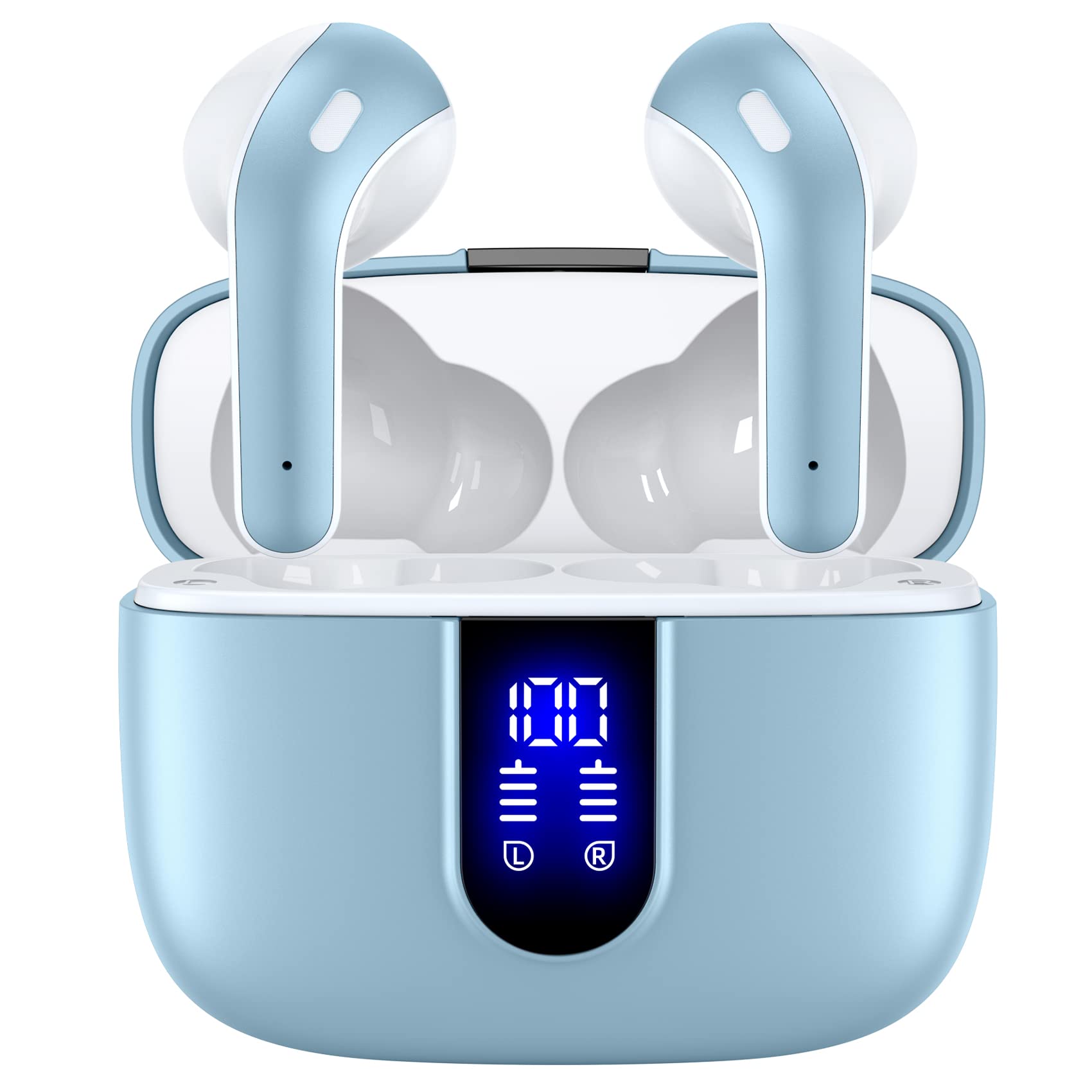
- The case supports wireless charging and USB-C cable charging.
- Each earbud has a built-in microphone for phone calls.
- Three ear-tip sizes are included.
Best Gift For: A developer who wants earbuds for music, reading, or calls between tasks.
SteelSeries Aerox 3 Wireless Gaming Mouse

- The mouse connects using 2.4GHz wireless or Bluetooth 5.0.
- Its shell is designed to reduce weight to 68g.
- Three-zone RGB lighting supports configurable colors.
Best Gift For: A developer who also games and prefers a lightweight wireless mouse.
MAONO Wave T5 Mini Wireless Lavalier Microphone

- The microphone offers plug-and-play use out of the box.
- Four one-tap voice filters offer different recording tones.
- The charging case brings total use time to 40 hours.
Best Gift For: A developer who makes videos, podcasts, or voiceovers away from a desk.
Choosing gifts for developers around their daily work
When choosing gifts for developers, start with the recipient’s actual routine. Someone who spends most of the day on calls may value a headset, while a person who records demos or a podcast has a different use for a microphone.
If you are unsure, notice what they already carry between devices and what seems to slow down their work.
Think about where they work, too. A fixed home desk invites a monitor arm or speakers; a laptop that travels between rooms points toward a folding stand or hub.
A gift that suits an established setup is more likely to be used than a dramatic change to a workflow they already like.
Compatibility matters for desk technology. Before choosing a mount, stand, hub, or router, check the recipient’s equipment and workspace.
A monitor’s size and mounting pattern, laptop ports, table setup, and network devices can all shape whether an accessory fits their needs.
Balancing budget and usefulness
Useful gifts for developers span small practical accessories and larger workspace upgrades. A card reader can solve a narrow file-transfer need, while a monitor arm or router makes a more substantial addition.
Think about how often the recipient would use the item, and check actual prices before settling on a budget.
A modest gift can feel considered when it addresses a recurring irritation. If their desk is already crowded, choose something that supports a specific task rather than adding another decorative object.
For a larger purchase, consider whether it complements equipment they own or depends on another upgrade.
Price alone does not establish value. Compare the usefulness of the item with its compatibility requirements and how much space or setup it needs.
A small accessory that gets regular use may suit the occasion better than a premium device that requires several changes to the recipient’s workspace.
Personalizing and presenting gifts for developers
For gifts for developers, a personal detail can connect a practical tool to the person’s interests. Pair an audio accessory with a note about their podcast or music habit, or add a small card explaining why you thought a desk adjustment might make their routine more comfortable.
Keep the message warm and specific.
Presentation can be simple and still feel intentional. Wrap a compact accessory with a handwritten note, or present a desk upgrade alongside a favorite snack for a work break.
For anything with compatibility considerations, include a gift receipt or mention that you are happy to exchange it if it does not suit their setup.
Avoid assuming every developer wants gaming gear, a new keyboard, or a more elaborate office. Their personal interests and existing tools are better clues.
A thoughtful note that recognizes the recipient’s way of working makes a practical present feel chosen for them rather than selected from a generic tech list.
Buying with time to spare
If you are ordering near an occasion, check the current delivery estimate before purchasing. Availability and arrival timing can change, so allow a little margin when possible.
For gifts for developers that need to match a particular laptop, monitor, or phone, confirm compatibility before you place the order.
Accessories with a less demanding fit can be easier to choose quickly, but still check current product details and return terms. For a mount or stand, verify the recipient’s screen or laptop dimensions and the desk arrangement.
For connectivity gifts, make sure the device and operating system support the connection the recipient will use.
When time is short, a gift note or printed message can make a practical item feel complete. Choose presentation that does not promise a specific setup benefit until compatibility is confirmed.
If delivery timing is uncertain, consider giving the note on the occasion and sharing the purchase details afterward.
Making the final choice
The strongest choice usually fits a recognizable habit: more comfortable screen positioning, fewer connection hassles, clearer calls, or a pleasant audio break. Think about what the recipient has mentioned recently and whether the gift supports a routine they already enjoy.
That is a more useful guide than trying to find one universal developer essential.
Consider both the main benefit and the effort the gift asks of its recipient. A plug-in accessory may be straightforward, while a larger desk change can require checking measurements, ports, and placement.
If you cannot verify those details, choose a simpler option or make the exchange path clear.
A concise note can explain why you chose the item and invite the recipient to make it their own. Whether the gift is for a daily workspace or a hobby outside work, leave room for personal preference.
Practicality and a little attention to the person are enough to make the gesture thoughtful.